



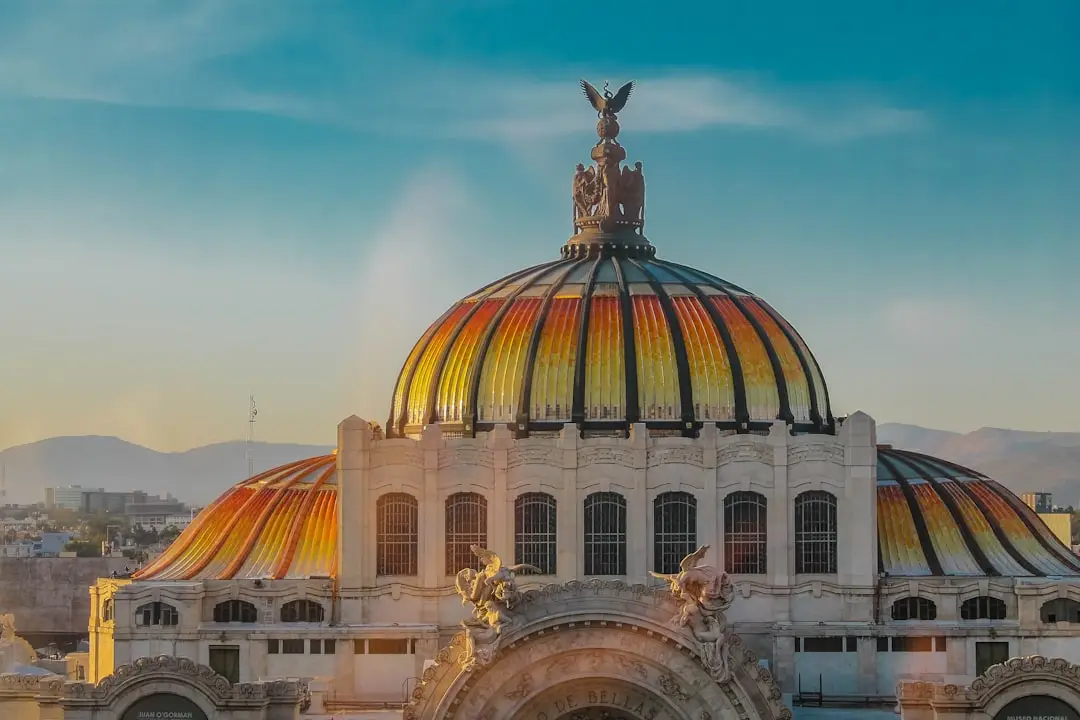
מקסיקו היא חלום של כל נוסע: חופים משקעים, פירמידות עתיקות, וקלווריות מרהיבות. אבל כמו בכל טיול לחו"ל, השאלה שחוזרת על עצמה היא: איך אני מתחבר לאינטרנט בלי להשתיל את עצמי בחיובים מוזרים?
אם עד עכשיו התשובה שלך הייתה "כרטיס סים מקומי" או "רומינג בינלאומי", יש לך אפשרות חדשה וחכמה יותר: eSIM. וזה כל כך קל שתתהה למה לא עשית את זה קודם.
למה eSIM משנה את המשחק בטיול למקסיקו
בואו נדבר בכנות: כשאתה בחו"ל, הקשר לישראל חשוב. אם אתה משתמש בכרטיס סים מקומי בעיר מקסיקו או קנקון, הקו הישראלי שלך מנותק. הודעות WhatsApp מהמשפחה? הם לא יוכלו להגיע. וואטסאפ שלך? בדיוק כשאתה צריך אותו כדי לתאם עם החברים בטיול.
עם eSIM, המצב שונה לחלוטין. אתה מתקין פרופיל סים דיגיטלי למקסיקו, אתה מחובר לרשת מקומית חזקה – וקו הישראלי שלך נשאר פעיל בו-זמנית. שתי רשתות, מכשיר אחד, אפס בעיות.
איך מתקינים eSIM – צעד אחר צעד
שלב 1: בדוק את המכשיר שלך
iPhone? מ-iPhone XS ומעלה, כל הדגמים תומכים ב-eSIM. סמארטפון אנדרואיד? מכשירים מודרניים מ-Samsung, Google Pixel, Xiaomi ועוד תומכים בזה. אם אתה לא בטוח, בדוק בהגדרות הטלפון שלך תחת "אודות" או פנה לתמיכה.
שלב 2: קנה את ה-eSIM עוד לפני הנסיעה
אתה לא צריך להמתין לנחיתה בשדה התעופה של מקסיקו סיטי. בחנות nRed, תוכל לקנות את ה-eSIM שלך מהבית, שלוש שעות לפני ההמראה או אפילו שבועות קודם לכן. בחר את היעד (מקסיקו), בחר את חבילת הנתונים שמתאימה לך, וקנה.
שלב 3: סריקת QR – וזהו
אחרי הרכישה, תקבל קוד QR. פתח את הטלפון שלך, עבור להגדרות הסלולר, בחר "הוסף eSIM" (או "Add eSIM"), וסרוק את הקוד. זה לוקח פחות משתי דקות. אין צורך בכרטיס פיזי, אין צורך בחנות סלולר בחו"ל.
שלב 4: הפעל את הפרופיל וחברת
כשתנחת במקסיקו, הפעל את הפרופיל של ה-eSIM בהגדרות הסלולר. תוך דקות, אתה מחובר לרשת מקומית. בדוק שהקו הישראלי עדיין מופיע בהגדרות – הוא צריך להיות שם, במצב "לא פעיל", מה שמאפשר לך לעבור בחזרה אליו בחוזרך לארץ.
טיפים מעשיים לנוסע בחו"ל
- הפעל Wi-Fi קודם – כשמתקינים את ה-eSIM, רצוי להיות מחובר ל-Wi-Fi (בבית, בשדה התעופה) כדי שהתקנה תהיה חלקה.
- בחר את חבילת הנתונים בחכמה – אם אתה מתכנן שלוש שבועות בחופי קריביים, חבילה גדולה יותר תשתלם. אם זה סוף שבוע מהיר, חבילה קטנה מספיקה.
- שמור את הקו הישראלי – כשתחזור לארץ, כל שצריך לעשות זה להחליף בחזרה לפרופיל הישראלי בהגדרות. אין צורך בשום דבר נוסף.
- בדוק כיסוי רשת – מקסיקו כוללת אזורים עם כיסוי מעולה ואזורים פחות מכוסים. בעיר מקסיקו, קנקון וריביירה מאיה, הכיסוי מצוין.
כמה זה עולה? (וכמה אתה חוסך)
זה תלוי בחבילה שתבחר, אבל בעקרון, ה-eSIM משתלם יותר מרומינג בינלאומי של חברות הסלולר הישראליות. אין עלויות נסתרות, אין הפתעות בחשבון, וזה ברור מראש.
סיכום: טיול ללא דאגות
מקסיקו מחכה לך. עם eSIM, אתה מגיע לשם מוכן, מחובר, ובלי כל הצרות של כרטיסי סים פיזיים. קוד QR, סריקה מהירה, וכבר אתה מחובר. זה כל כך פשוט שזה כמעט בלתי אמין – אבל זה המציאות של התקשורת המודרנית.
אז בפעם הבאה שאתה מתכננת טיול לחו"ל, זכור: אתה לא צריך כרטיס סים חדש. אתה צריך eSIM חדש.
